
Every sign-up is saved as a customer who accepts marketing, in Customers.
The popup
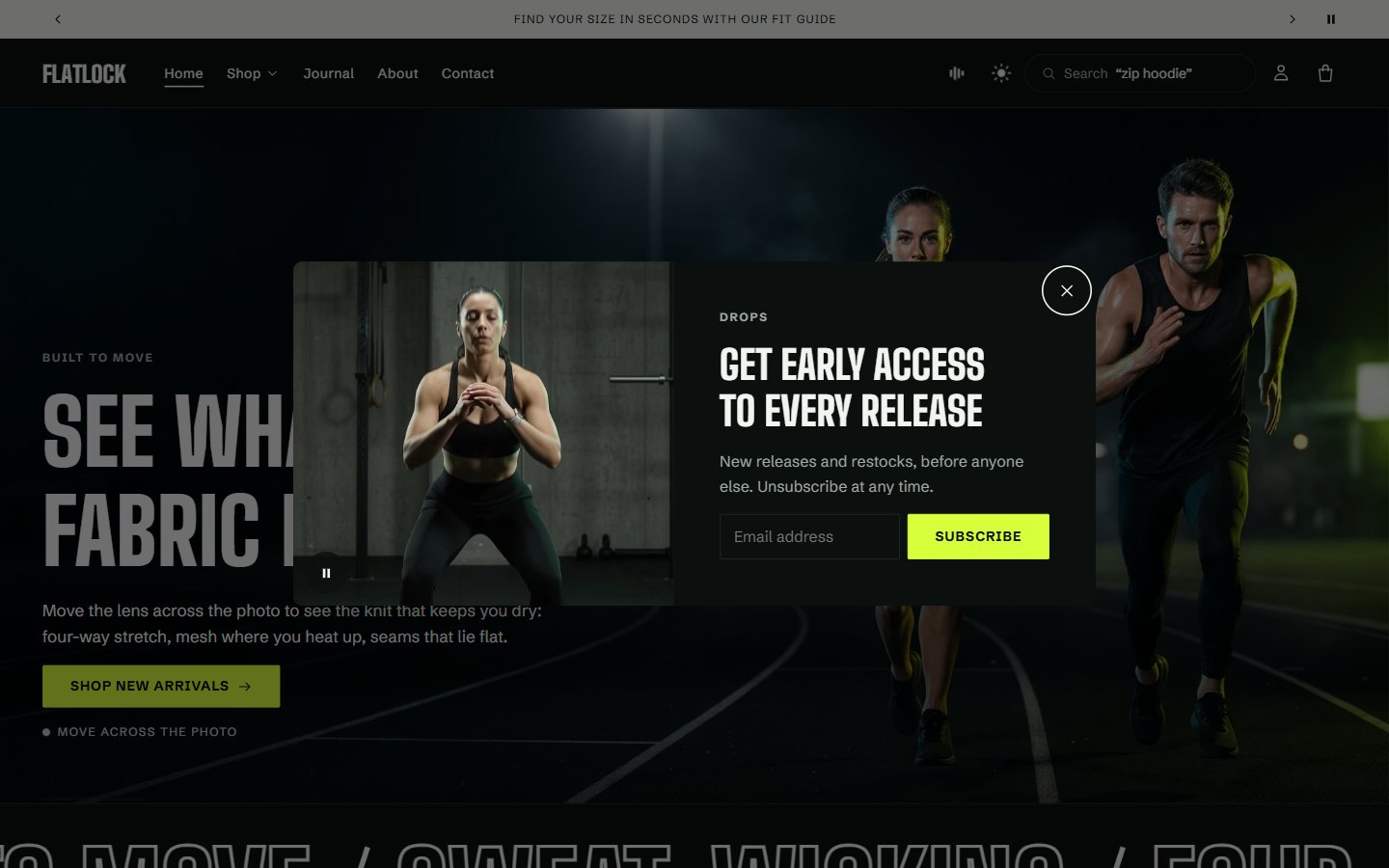
Select Newsletter popup in the theme editor. It is in the footer group, at the bottom of the left sidebar, so it works on every page.
| Setting | What it does |
|---|---|
| Style | Envelope: a sealed envelope rises, the seal breaks, the flap opens and the letter slides out. Card: a simple panel |
| Image or Video | Shown on the letter or the card |
| Delay | How long a shopper browses before it opens. The time counts from their first scroll, tap or key press, so it never greets someone who has not started browsing |
| Also open when a shopper moves to leave | On computers, it opens when the pointer heads for the browser's tabs |
| Days before showing again | Once closed, it stays closed for this long |
The popup never opens over the cart or another window, and shoppers who prefer less motion see it without the envelope animation.
Other sign-up forms
Add the Newsletter section to any page, with up to three perks, and turn on the Newsletter block in the footer.
Was this guide helpful?
Still need help?Write to us with your shop's address and a screenshot. We reply within two business days, Monday to Friday, usually sooner.
Contact support