
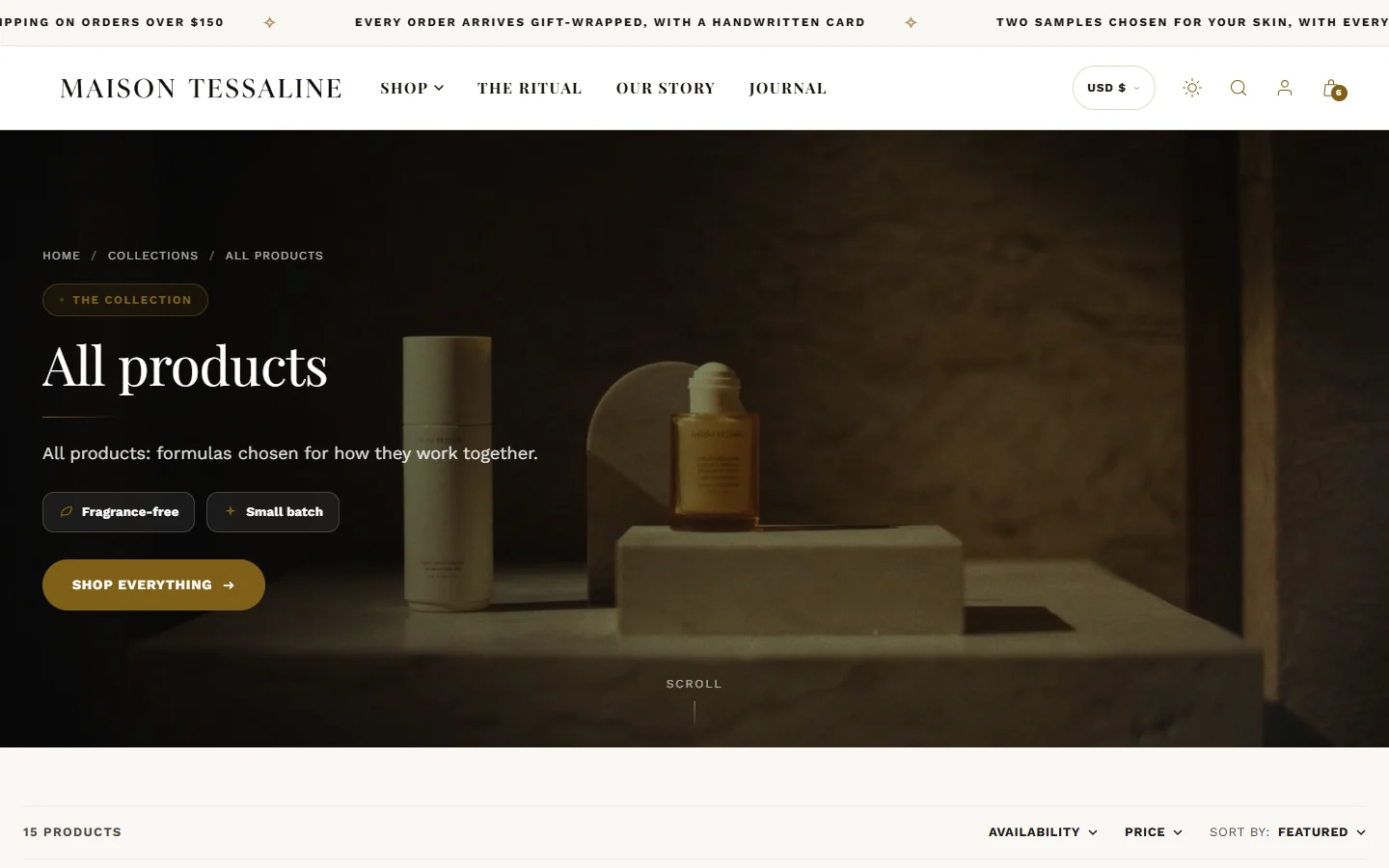
Open a collection page in the theme editor (page selector > Collections > Default collection). Changes apply to every collection that uses that template.
The collection hero
The Collection hero opens the page. Background: Collection image (automatic) uses the picture you uploaded on the collection in Shopify; if there is none, it shows a soft gradient rather than guessing with a product photo. You can also choose your own picture or a film. Layout: Cinematic — full-bleed or Split — text beside media.
Add Highlight blocks for short lines under the heading ("Fragrance-free", "Vegan"), optionally prefixed with the product count.
The product grid
In the Collection section: Products per page, Pagination, Columns on desktop and Columns on mobile, Image ratio, Show second image on hover, Show quick add and Show color swatches.
Filters
Install Shopify's free Search & Discovery app from the Shopify App Store.
In the app, open Filters and add the ones you want: availability, price, product type, and any option or metafield (skin type, concern, finish).
In the theme editor, turn on Show filters in the Collection section (and in Search).
A different layout for some collections
Eight collection templates are included: a staggered cascade, a grid with promo tiles, an editorial layout, a lookbook, 3D flipping cards, a routine shelf and a shade atlas. See Product and collection templates.
Was this guide helpful?
Still need help?Write to us with your shop's address and a screenshot. We reply within two business days, Monday to Friday, usually sooner.
Contact support