
Skincare shoppers ask two questions before they buy a serum: what is in it, and how much? and where does it go in my routine? These two sections answer them. They are built so that one setup serves every product: you do not need a template per product.
Why they work this way
A product template is shared by many products. A section that simply listed "5% niacinamide" would show that on every product using the template, including products that contain no niacinamide. Both sections avoid this:
| Section | On a product page | Anywhere else |
|---|---|---|
| Formula dosage | Shows only that product's formula. A product without one shows nothing. | Shows every formula, with a row of products to switch between them |
| Routine steps | Marks the step that holds that product, by itself | Shows the routine, each step with its products |
Formula dosage: set up each product's formula
The section is a list of blocks. A Formula block starts a product's formula; the Active ingredient and Question and answer blocks after it belong to that product, until the next Formula block.
Add the Formula dosage section to your product template (it comes with the proof-protocol template) or to the home page.
Add a Formula block and choose the Product.
Right after it, add an Active ingredient block for each active: the Dose ("5%"), the INCI name, What it does and Why this dose. Bar length sets how tall its layer is in the vessel, compared with the others.
Optional: in the Formula block, add Formula facts (one per line, such as "Fragrance-free") and the product's full INCI list.
Add a Question and answer block after the actives for questions about this formula.
Repeat from step 2 for the next product. Drag blocks to reorder them; what matters is that each product's actives sit after its Formula block.
What shoppers see
- On a product page: that product's formula, poured into the vessel, with its facts and ingredient list.
- On the home page or any page: a row of products above the vessel. Choosing one pours its formula in, and Link each formula to its product adds a card with the product's price and a link.
- On a product with no formula yet: nothing, so no shopper ever sees another product's doses. In the theme editor, a note tells you the product has no formula yet.
Active ingredients placed before the first Formula block belong to the section itself. Use this when the section is on a template used by one product only. If a product has its own Formula block, that one wins.
Routine steps: one routine for every product
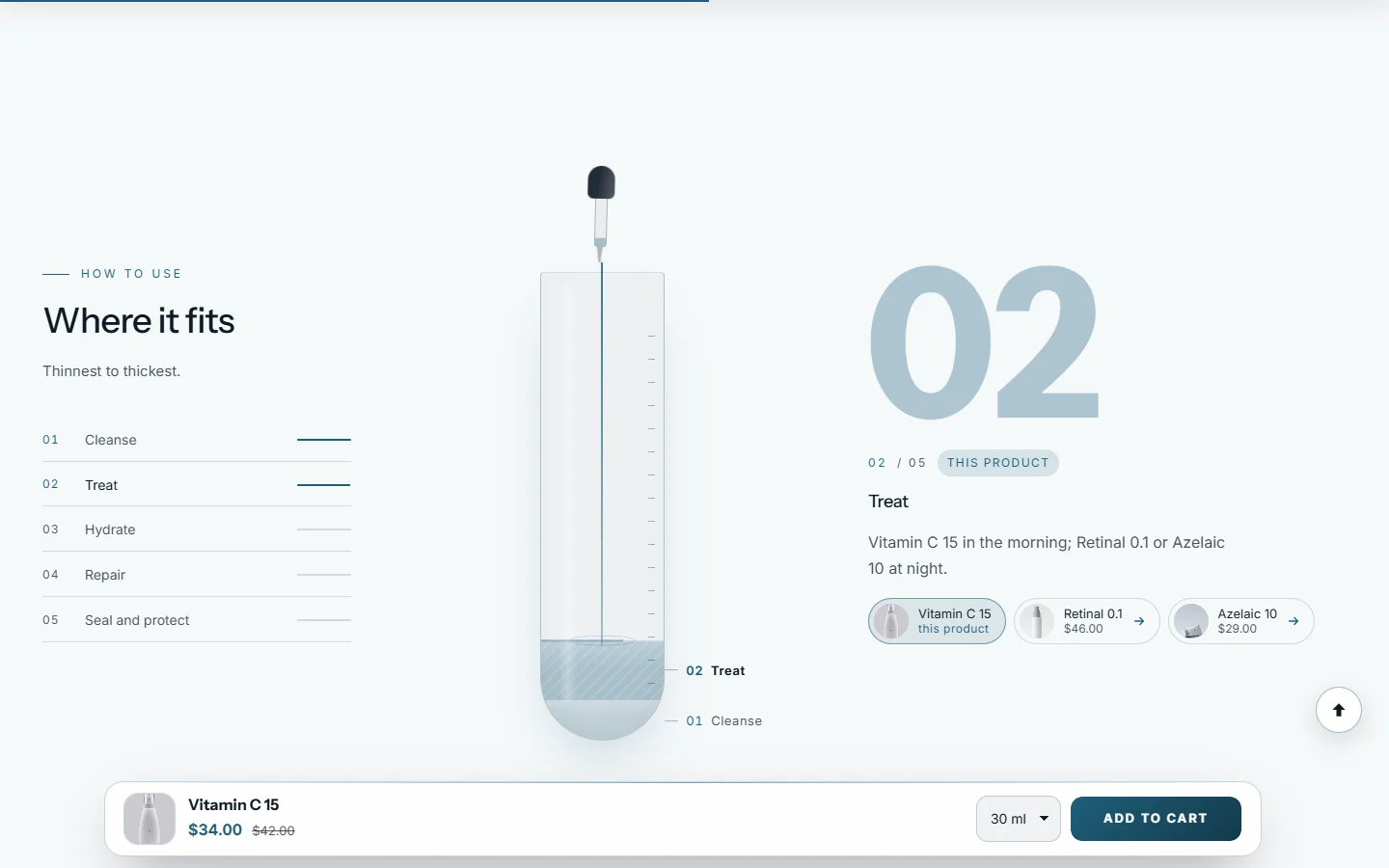
Add the Routine steps section, with a Step block for each step of your routine: Cleanse, Treat, Hydrate, Repair, Protect.
In each step, choose the Products for this step (up to four).
Leave Show each step's products on to show each product as a small card with its price.
Write the Marker for this product, the label on the step that holds the product being viewed ("this product").
On each product page, the step holding that product is marked by itself, and its card says "this product" instead of linking to the page the shopper is on. The other steps link to their products, so the routine becomes a path to the next purchase.
This step is this product is the older way: it marks a step on every product page. It is only used for steps without products.
My product page shows no formula.
The product has no Formula block in that section, or its Formula block has no Active ingredient blocks after it. Open the product in the theme editor: a note says when the formula is missing.
The wrong actives show for a product.
Check the order of the blocks: every active belongs to the nearest Formula block above it.
How many products can one section hold?
Up to 12 formulas, and 50 blocks in all. For a large catalog, put the section on the templates of your hero products, and use the formula row on the home page for your best sellers.
Can the doses come from my product data instead?
Yes. Each Active ingredient setting can be connected to a product metafield with the Connect dynamic source icon in the theme editor.
Before you publish figures, read Honest results and claims.
Further reading on the iVishwa blog: Show what is in it: ingredient percentages that sell skincare · Sell the routine, not the product: bundles and regimens on Shopify
Was this guide helpful?
Still need help?Write to us with your shop's address and a screenshot. We reply within two business days, Monday to Friday, usually sooner.
Contact support