
Every style is the whole theme: every section, template and feature is in all four. The style decides where you start, meaning the fonts, colors, corners, motion and the sections already placed on each page. You can change all of it afterwards.
| Style | Made for | Looks like | Starts with |
|---|---|---|---|
| Acanthus | Luxury skincare and fragrance | Ivory and gilt, a refined serif with italic accents, slow cinematic motion | A curved wall of films as the hero, the ritual in layers, a build-your-own set, a scroll film finale |
| Calla | Clean, botanical and refillable skincare | Sage and oat, a soft serif, rounded cards, calm motion | A silk curtain hero, a skin quiz, a routine builder, what you leave out, reviews and questions |
| Carmine | Make-up and color cosmetics | Crimson and blush, a fashion serif in capitals, pill buttons, bold motion | A 3D product hero, a shade finder, a look builder, before and after, customer reels |
| Celadon | Clinical and dermatologist-led skincare | Mineral white and deep teal, a precise sans, light corners, restrained motion | A product specimen hero, a concern finder, the regimen in order, measured results, the formula |
Acanthus: luxury skincare
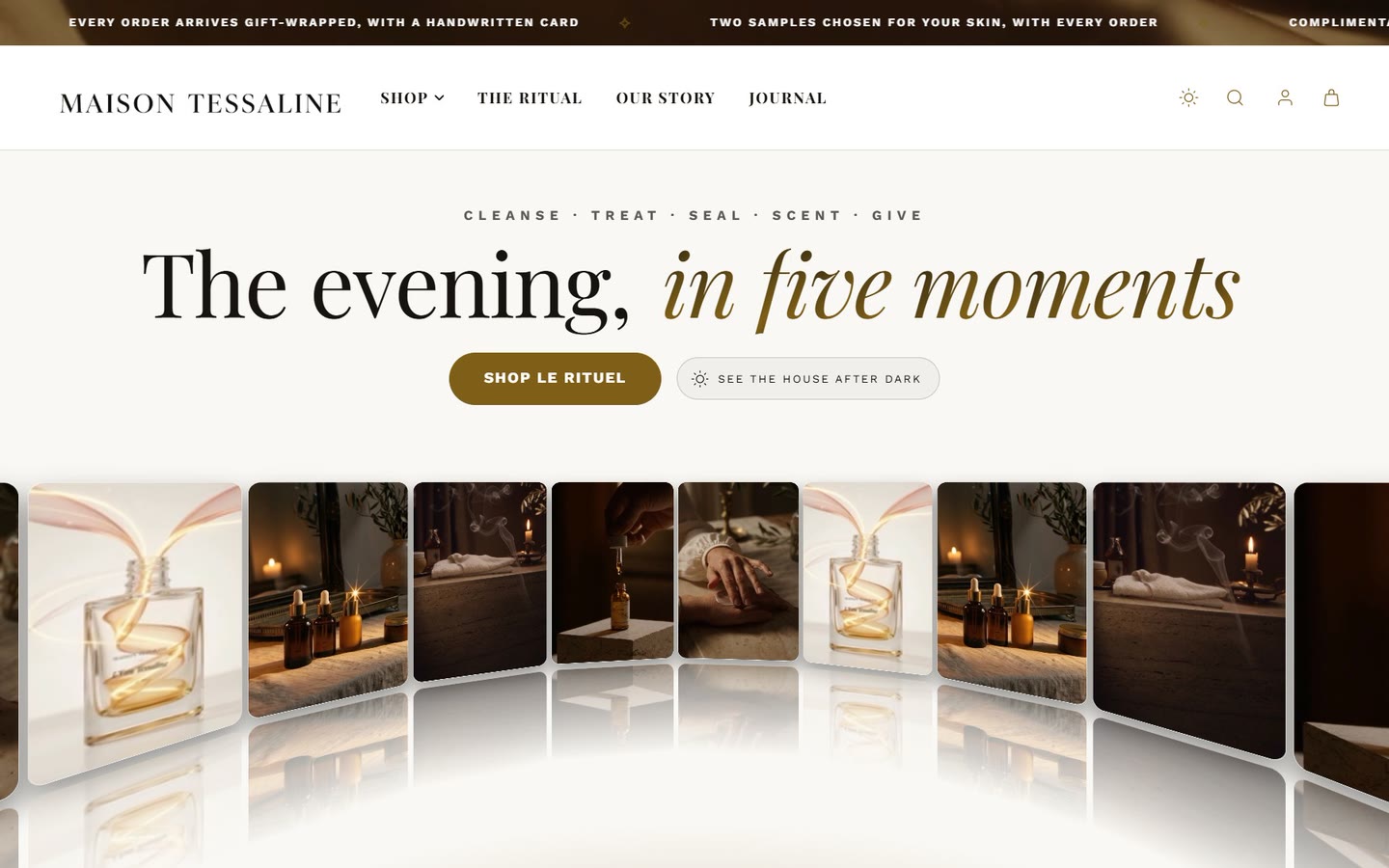
For houses that sell a ritual rather than a product. The home page opens on a curved wall of short films, then tells the evening layer by layer, offers the set and a build-your-own version, proves it with measured results and reviews, and ends on a film of the product being made.
Calla: clean and botanical
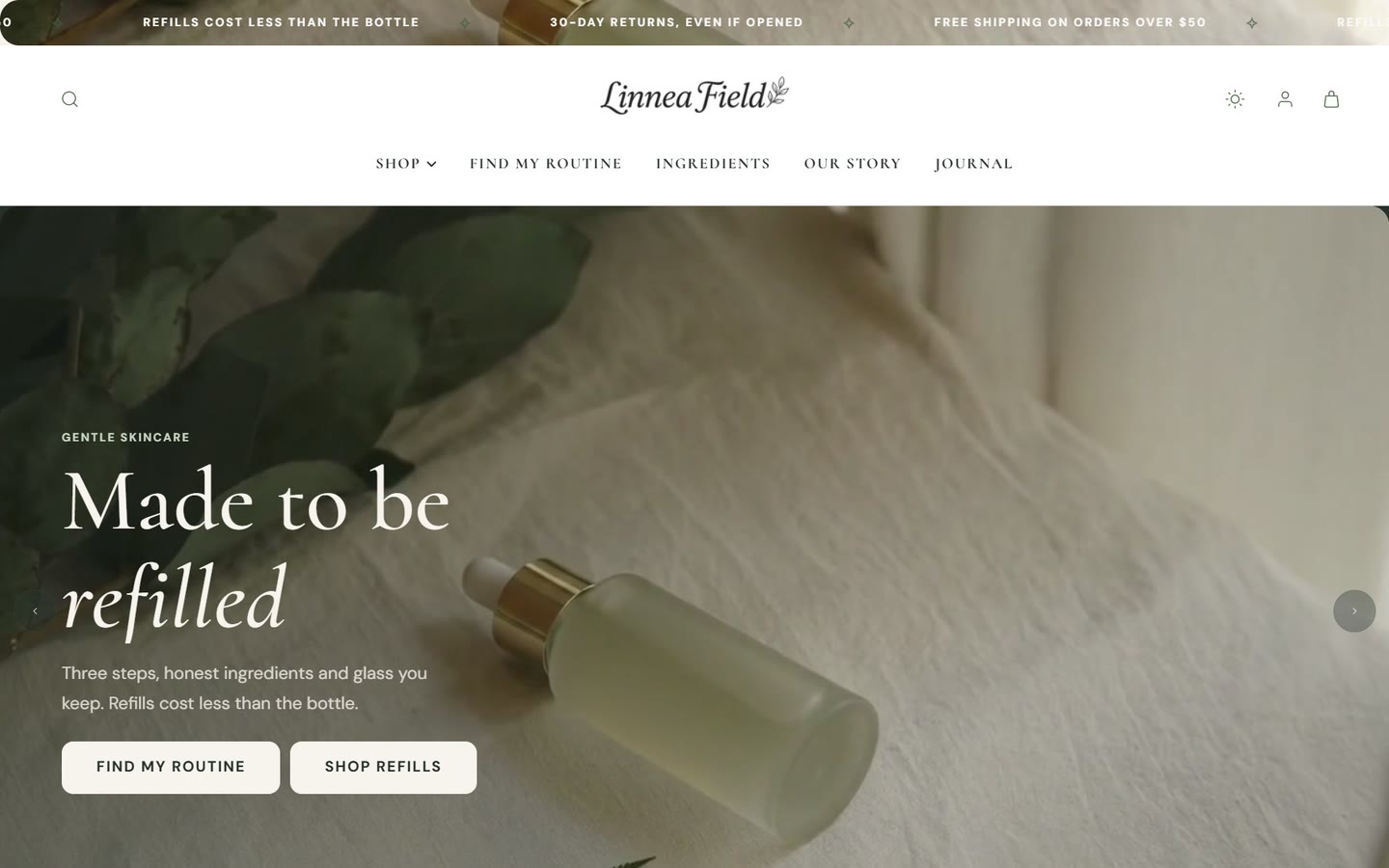
For ingredient-led brands. It leads with what goes in and what stays out: a silk curtain hero, a skin quiz, a routine builder, a list of what the formulas leave out, reviews and an FAQ.
Carmine: make-up and color
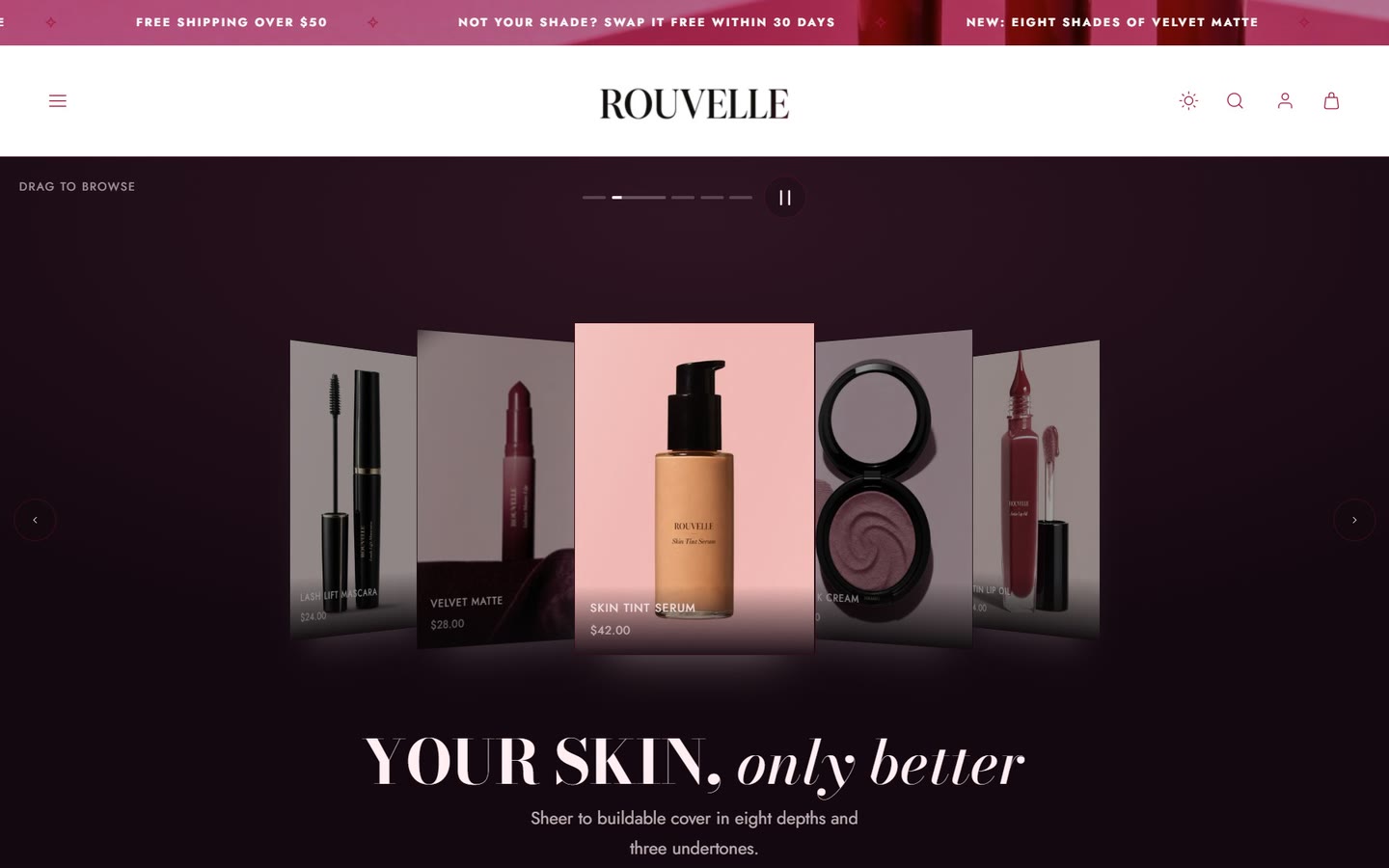
For brands that sell on shade and finish. Customers see each shade on four skin depths, build a look from lips, cheeks and eyes, and drag a before-and-after slider.
Celadon: clinical skincare
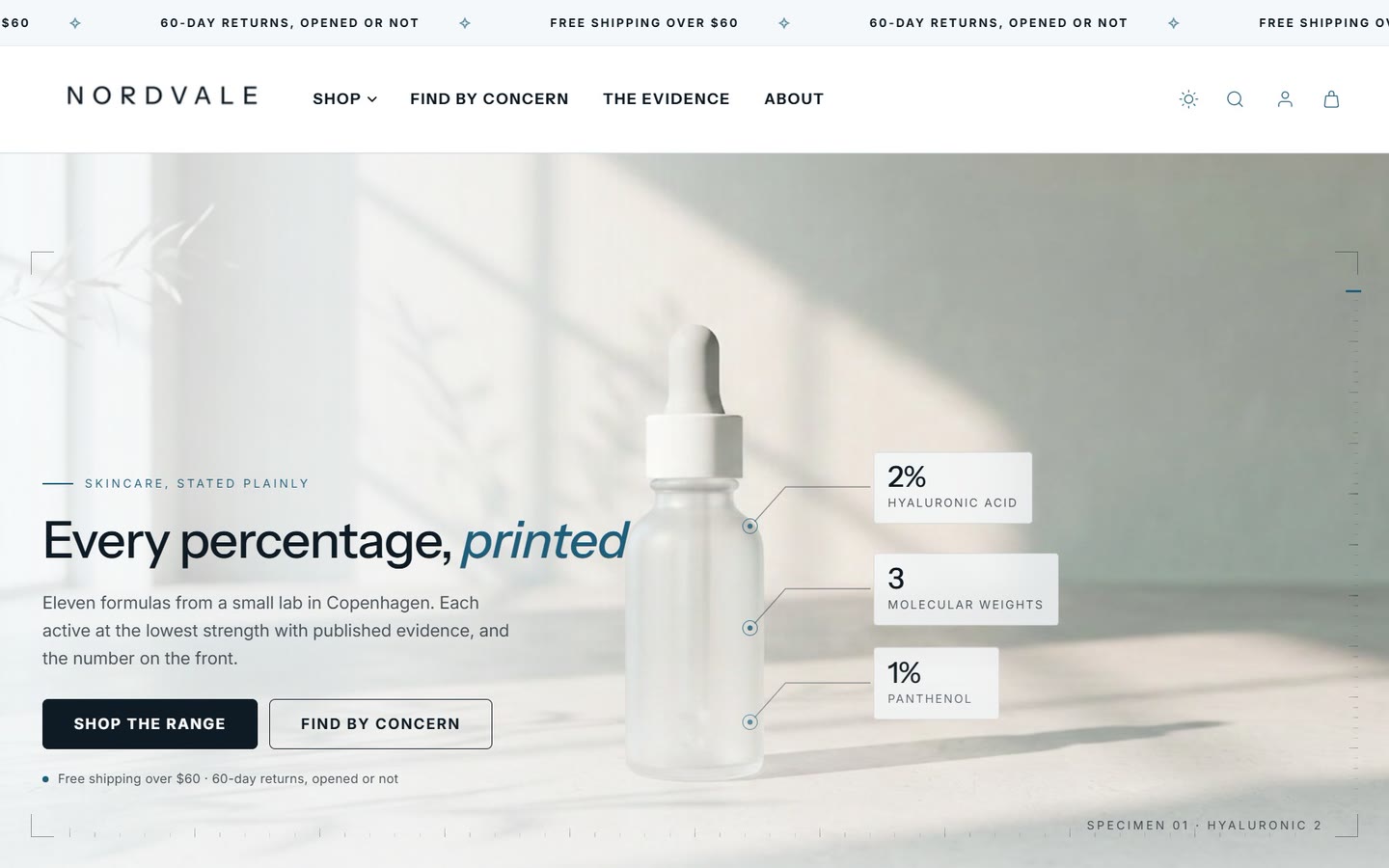
For brands that lead with evidence. A concern finder sends each customer to the right product, and product pages show the method behind every result, the dose of each active and the regimen in order.
Change style
Open the theme editor and select Theme settings.
Under Theme style, choose another style and save.
Your products, pictures and words stay. Fonts, colors, corners and motion change to the new style's.
Changing style replaces the design settings with the new style's. If you have tuned colors or fonts, write them down first so you can set them again. To compare styles without risk, make a copy and change style on the copy.
Does any style have features the others do not?
No. All four have every section and feature. A style only changes the starting design and which sections are already on each page; you can add any section to any style.
Can I mix styles, for example Carmine's shade finder with Acanthus's look?
Yes. Stay on Acanthus and add the shade finder section to your page. Every section takes its colors and fonts from your theme settings, so it matches.
Was this guide helpful?
Still need help?Write to us with your shop's address and a screenshot. We reply within two business days, Monday to Friday, usually sooner.
Contact support