
A countdown tells shoppers something true and useful: this offer ends at this moment. Acanthus counts to a real date for every visitor, in your store's time zone, and never restarts.
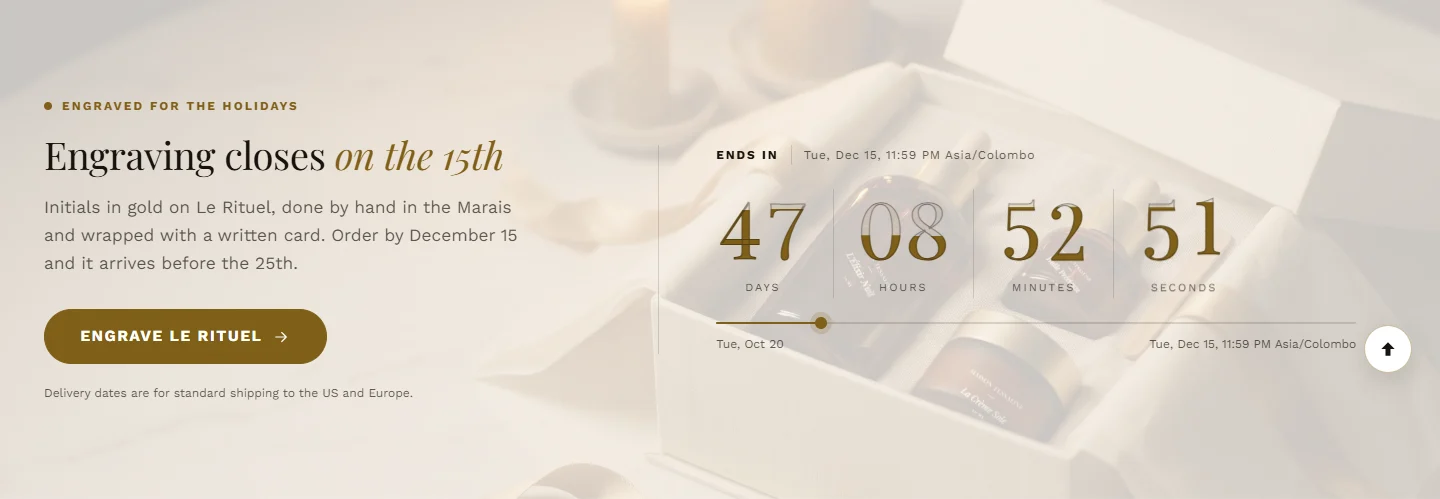
Three places for a countdown
| Where | Section or block |
|---|---|
| A section on any page | Promotion countdown |
| The announcement bar | Live countdown timer block |
| The product page | Promo countdown timer block in Product information |
Set up the Promotion countdown
Create the discount code in Discounts, with the same dates.
Add the Promotion countdown section. In Offer ends, enter the date as
2026-12-15 23:59, in your store's time zone.Optional: an Offer starts date. Before it, the clock counts to the start and the code stays hidden.
Enter the Discount code. Leave Apply the code with the button on: the button then takes shoppers through Shopify's discount link, so the code is already applied at checkout.
Choose When the offer ends: Hide the section, or Show a message with your Message after it ends.
Shoppers see the end date with its time zone ("Ends December 15, 11:59 PM EST"), so a shopper abroad knows exactly when.
Your store's time zone is set in SettingsGeneral.
Further reading on the iVishwa blog: Honest urgency: countdowns, stock levels and reviews that keep trust
Was this guide helpful?
Still need help?Write to us with your shop's address and a screenshot. We reply within two business days, Monday to Friday, usually sooner.
Contact support