
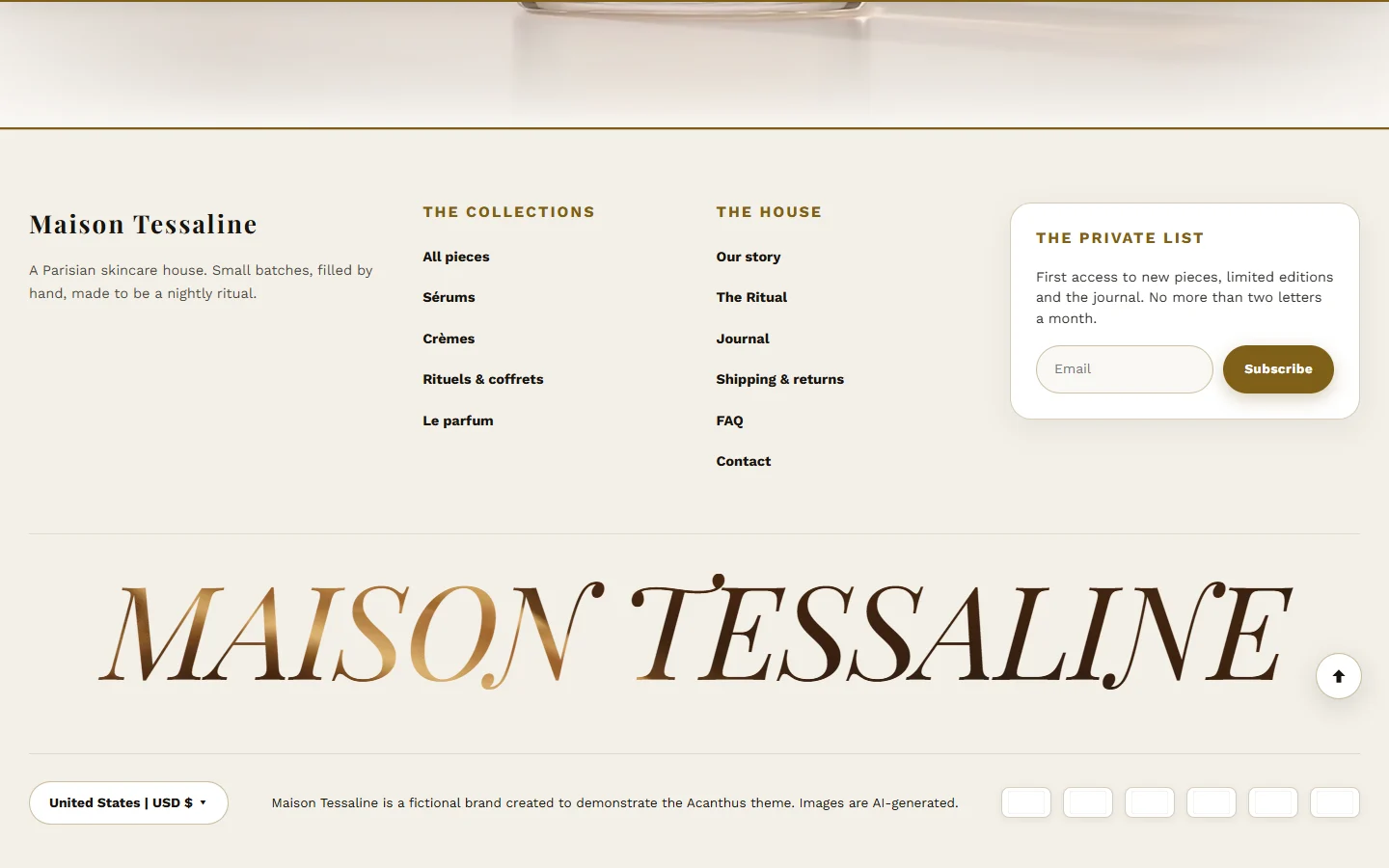
Select Footer at the bottom of the editor's left list.
Menus and words
In Online StoreNavigation, create a menu for each footer column, for example "Help" (shipping, returns, contact, FAQ) and "About" (our story, journal, stockists).
In the Footer section, choose them in First column menu and Second column menu, and give each a heading.
Write a one-line Brand description and your Footer copyright text.
Your policy pages (refunds, privacy, terms, shipping) are written in SettingsPolicies. Add them to a footer menu so shoppers and payment providers can find them.
Social links
Paste your full profile addresses in Instagram URL, TikTok URL, YouTube URL and Facebook URL. Empty ones are hidden.
Show Follow on Shop shows Shopify's Follow button, which lets shoppers follow your store in the Shop app. It needs Shop Pay to be active.
The large wordmark
Enable fluid text logo writes your name in large letters at the very bottom. Display effect: Fluid text (colors that flow as the pointer moves through them) or Video text (a film seen through the letters). Set the Text, Font and up to five Fluid color settings.
The fluid wordmark only runs while it is on screen, and visitors who prefer reduced motion see the letters without the flowing colors.
Payment icons
Show payment badges in footer shows the icons of the payment methods your shop accepts, read from your payment settings.
Was this guide helpful?
Still need help?Write to us with your shop's address and a screenshot. We reply within two business days, Monday to Friday, usually sooner.
Contact support